Groups, labels and interfaces
Groups
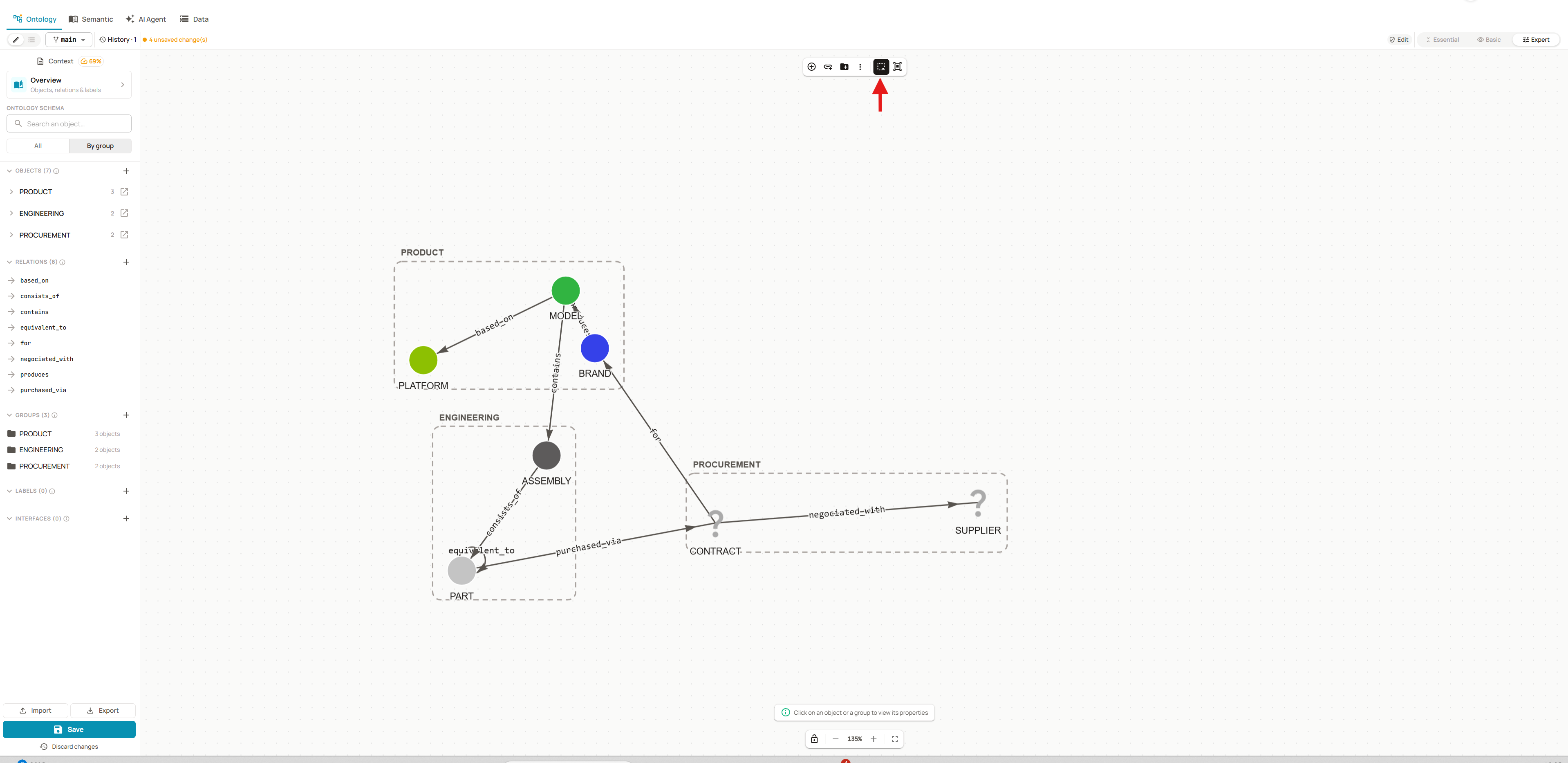
A group gathers objects to structure the ontology. It becomes useful as soon as the model grows: the side list and the diagram stay readable.
Example:
| Group | Objects |
|---|---|
PRODUCT | BRAND, MODEL, PLATFORM |
ENGINEERING | ASSEMBLY, PART |
PROCUREMENT | CONTRACT, SUPPLIER |

Click Show group to display the groups on the diagram and see at a glance which objects they gather.
Labels
Available from the Basic mode.
A label is an annotation you put on objects or relations, whatever their group. It helps the AI assistant follow an end-to-end path through the data, across several levels of the model.
Example: the procurement chain label put on the whole purchasing chain
Name: procurement chainDescription: Everything needed to follow a part from its purchase to its supplier:the contract that sets its price and volume, and the supplier who negotiated it.
Applied to: PART -[purchased_via]-> CONTRACT -[negotiated_with]-> SUPPLIER
Interfaces
Available in Expert mode only.
An interface gathers attributes shared by several objects, as in object-oriented programming. It helps spot similarities between objects and handle them the same way.
Objects linked to an interface must have the same attributes as the interface: they can then override them through the interface.
Example: the ORGANIZATION interface, linked to BRAND and SUPPLIER
Name: ORGANIZATIONDescription: A company involved in the product chain, either as a brandthat sells vehicles or as a supplier that sells parts.Attributes: name (STRING), country (STRING)Implemented by: BRAND, SUPPLIER