Canvas Navigation
Basic Controls
| Action | How |
|---|---|
| Zoom in / out | + / - buttons in the toolbar, or mouse scroll wheel |
| Pan | Click and drag on an empty area of the canvas |
| Undo / Redo | ↩ ↪ buttons in the toolbar |
| Lock layout | 🔒 button — pins all nodes in place |
| More options | ⋯ button — additional canvas actions |
Right-Click Context Menu
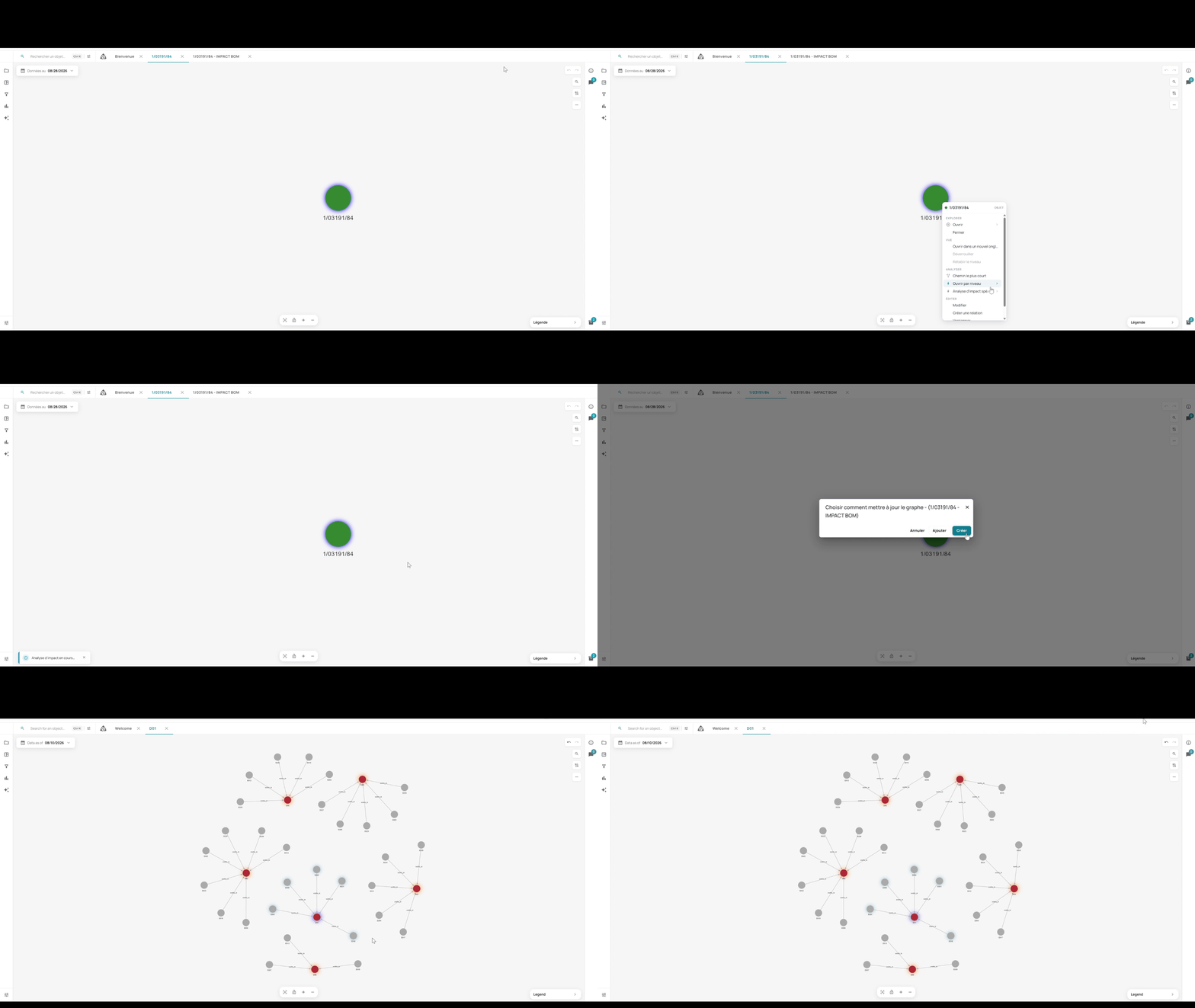
Right-clicking on a node opens a context menu:
| Option | Description |
|---|---|
| Open | Expand the node’s direct neighbors on the canvas |
| Close | Collapse the node’s connections |
 | |
| Shortest path | Find the shortest path between this node and another |
 | |
| Open in new tab | Open this node’s subgraph in a new tab |
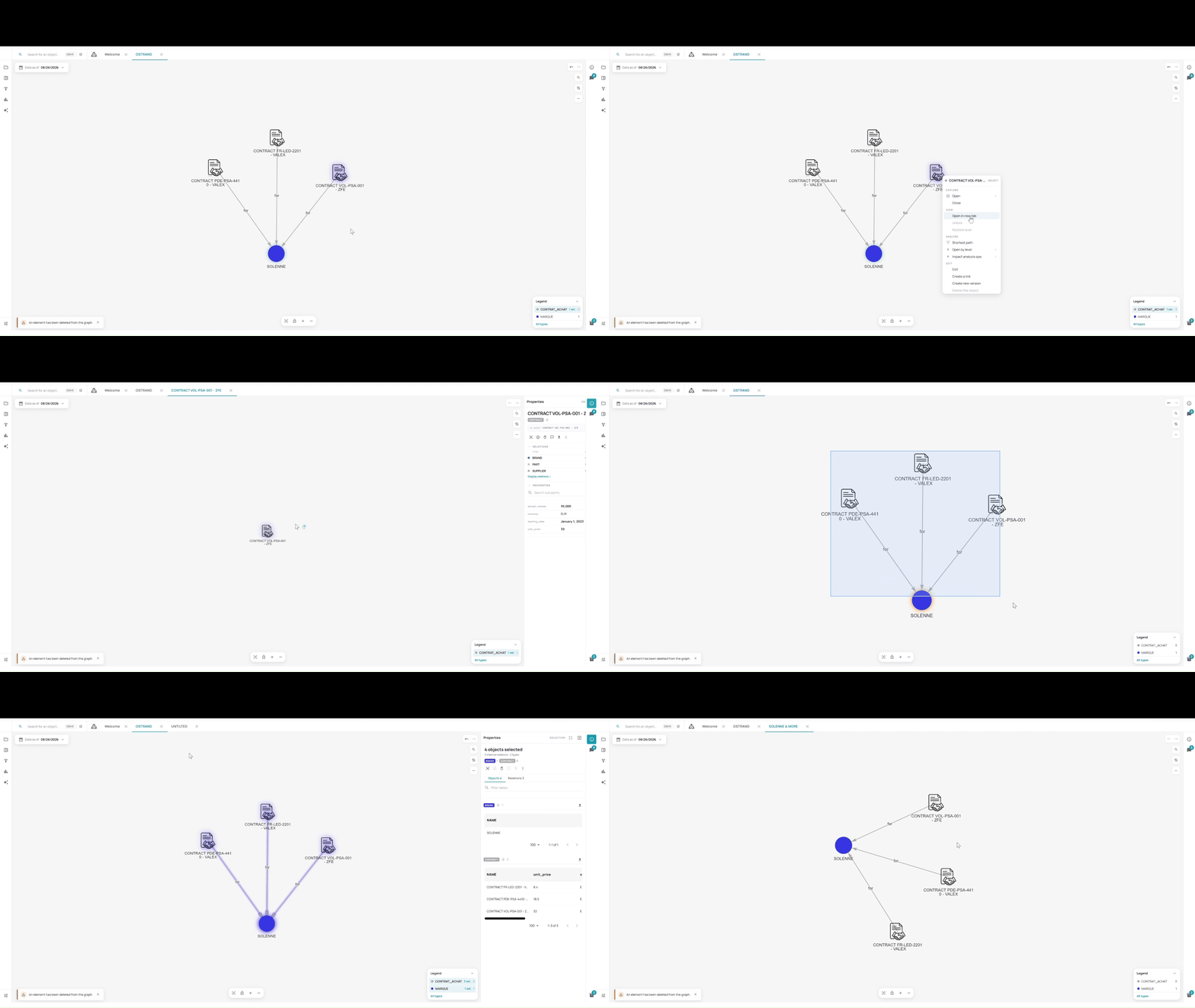 | |
| Edit | Edit the node’s data properties |
 | |
| Open by level | Expand neighbors up to a configurable depth — set the level with a slider, toggle Parents and Children on/off, then click Validate |
 | |
| Impact analysis spe. | Run a specialized impact analysis starting from this node |
 |
Why these actions use Cypher
Explore stores your data in a graph, and Cypher is the language used to query a graph. For the two actions below, Explore writes the Cypher query for you, from the options you configure on screen. In both cases, the query is limited to your environment.
Shortest path
This feature uses Cypher to find all the shortest paths in the graph.
The query follows the path you configure on screen:
| What you configure | What the query does |
|---|---|
| Allowed relations | Follows only these relation types, up to the maximum depth |
| Allowed node types | The path can only go through these node types |
| Excluded types | The path can never go through these node types |
Explore tries paths of 1 link, then 2, and so on up to 7, and stops at the first length that returns a path matching your filters.
Impact analysis
An impact analysis starts from a node and follows its relations to find everything connected to it: what is affected if this changes? This feature runs a Cypher query that goes through a given number of levels, upwards, downwards or both.
Cypher is a good fit because following directed relations level by level, without visiting the same node twice, is exactly what a graph database does best.
To run your own Cypher queries, see Prompt Cypher.